Runtime Console
Verify module data, actions, runtime workflows, and operational visibility.
Lenso Console is the independently installed operator-facing System Plane for one Lenso System. Its Console Shell, API, Worker, Auth domain, System Registry, and Service Store run separately from the business Services it manages.
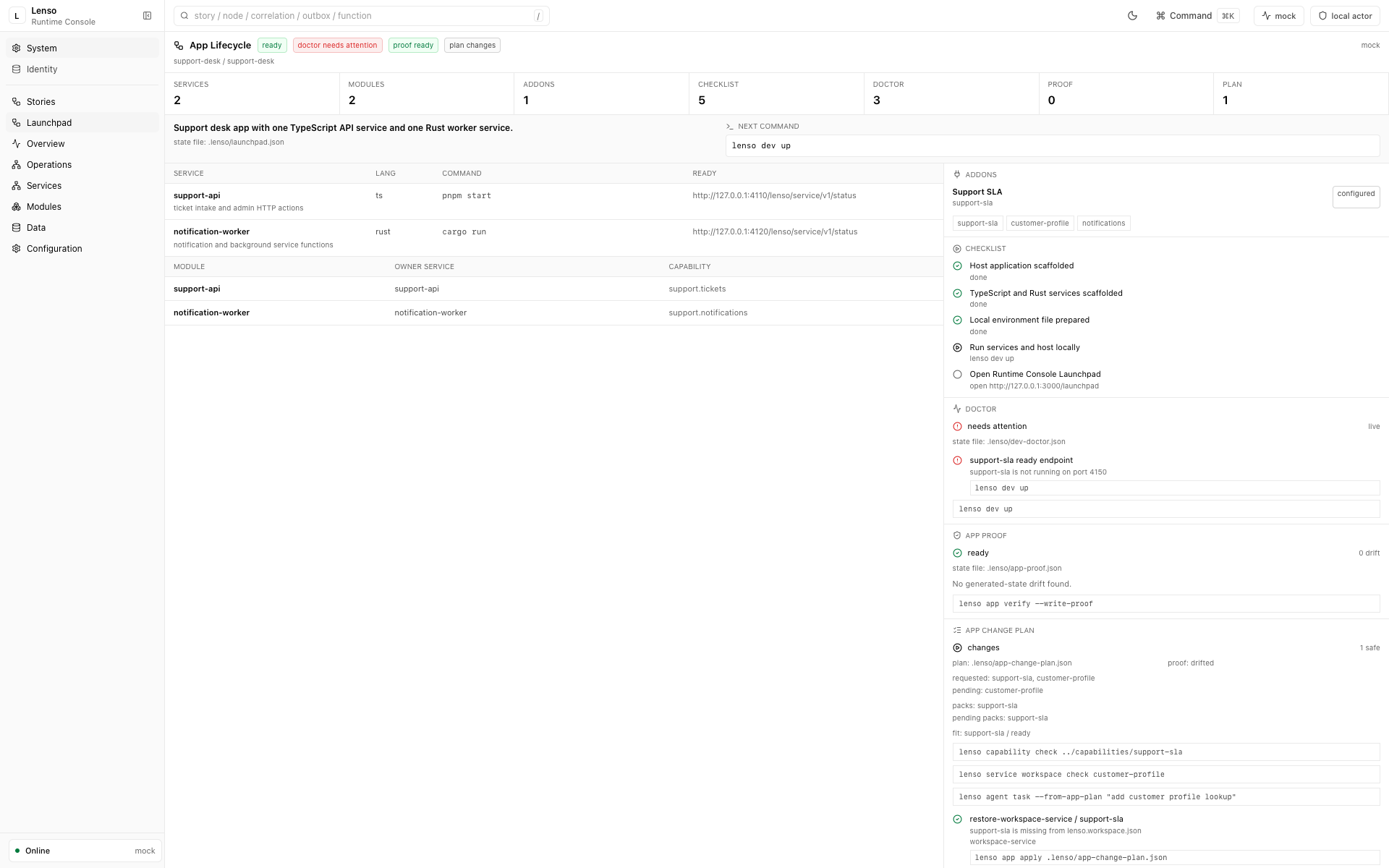
The App Lifecycle view puts the generated system, readiness gaps, proof state, and next operator action in one place. A warning is evidence to act on, not a dashboard state to hide.
Core views
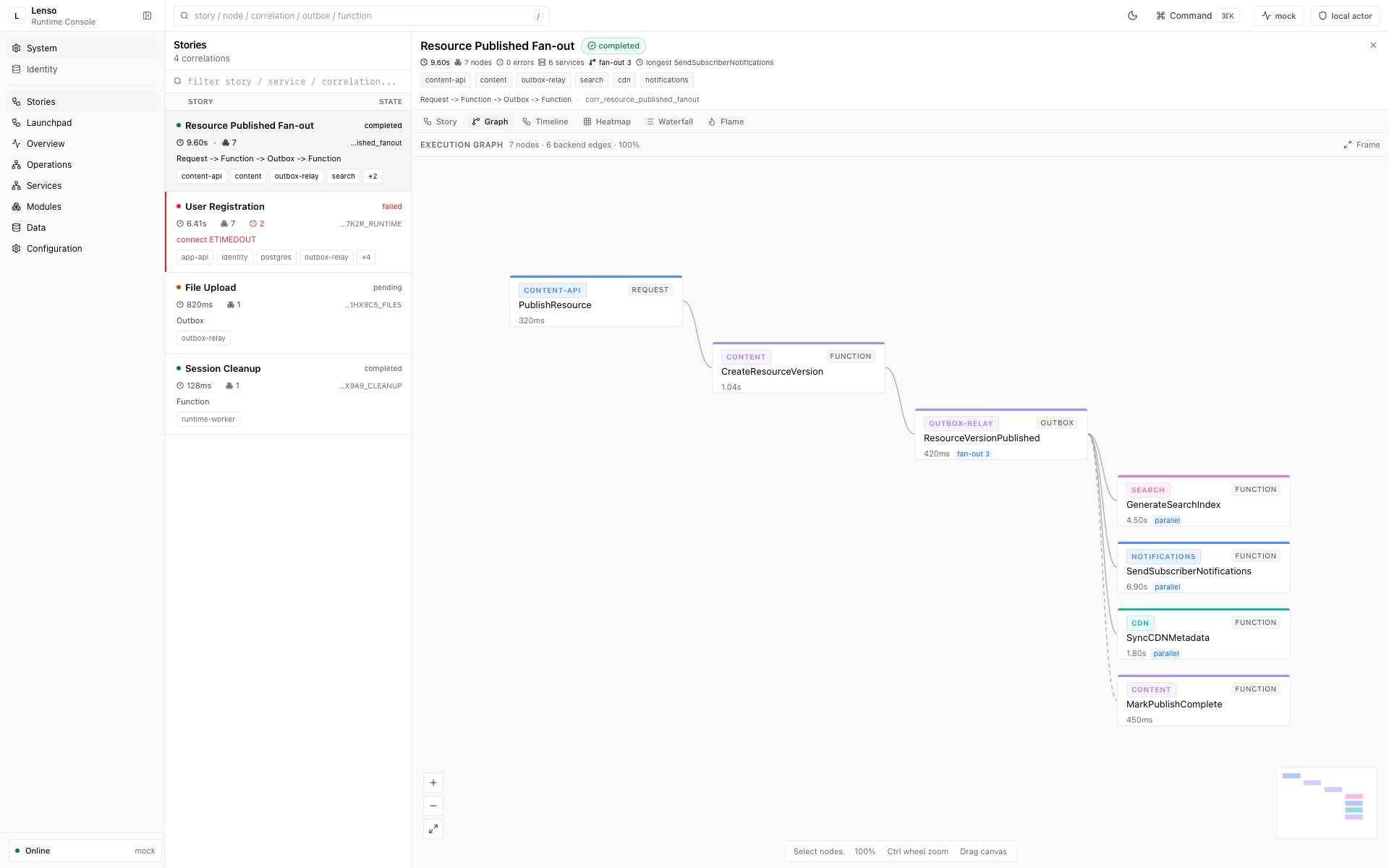
Runtime Stories connects a business flow to its technical evidence. Switch between graph, timeline, heatmap, waterfall, and flame views without losing the correlation that ties the work together.
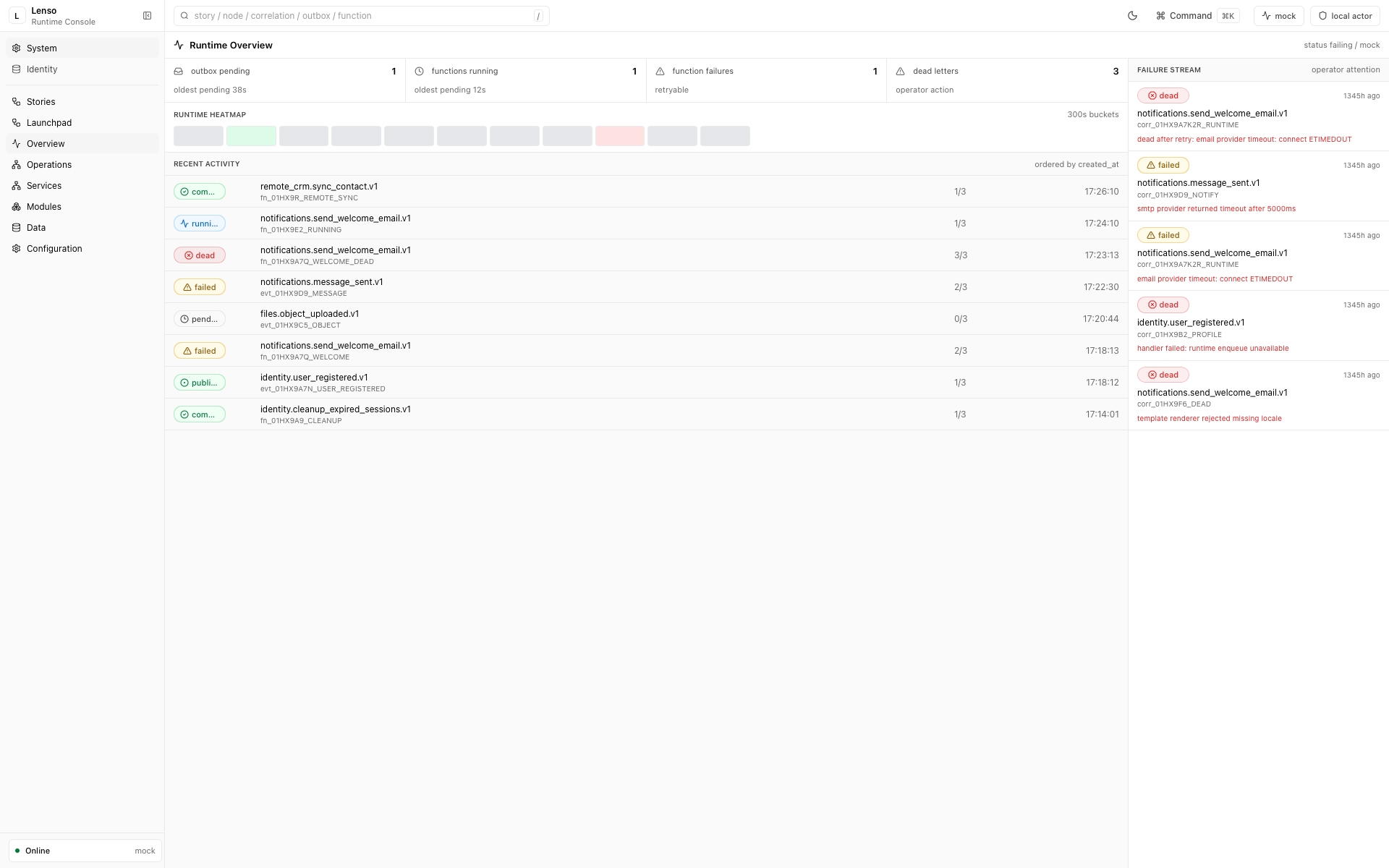
Runtime Overview makes operator attention explicit: queue pressure, active functions, failures, dead letters, recent activity, and the failure stream share one workspace.
Access control
lenso console dev may use a local-only development identity. An installed
Console Service has no default credentials. Bootstrap its first password user
and audited Operator grant from the external installation authority:
lenso console operator bootstrap \
  --console-root ../lenso-console \
  --console-url http://127.0.0.1:3030 \
  --identifier admin@example.com
In an interactive terminal, the CLI prompts for and confirms the password
without echoing it. Automation must provide a secret through
--password-stdin or a private regular file through --password-file.
The command grants only the Console Minimum scopes, verifies the mandatory System Registry state, writes append-only audit evidence, and refuses to run after an Operator already exists. Restart the Console API and Worker after the initial bootstrap. Additional Operators are managed through the Console’s identity Module.
Do not put service bearer tokens in a browser Console build.
For the OIDC production setup, read auth-oidc.
First checks
When the Console Service is running, open its root URL (locally,
http://127.0.0.1:3030/) and check:
- App Lifecycle: generated services, modules, addons, capability packs, dev doctor status, App Proof drift, App Change Plan status, App Composer requests, and the next operator command.
- Modules: loaded modules, manifest status, and lint results.
- Data: schema-admin tables exposed by loaded modules.
- Actions: admin actions declared by modules.
- Runtime: function runs, story events, and remote proxy evidence.
This is the fastest way to catch a module that compiles but is not visible to the host.
If the runtime page shows a story, read it as the host’s business-level evidence graph. Runtime Stories explains how the title, nodes, edges, timeline, and technical operations are produced.
Launchpad evidence
Generated apps expose local evidence files through read-only host admin endpoints:
| Evidence | Written by | Console use |
|---|---|---|
.lenso/launchpad.json |
lenso app create, lenso app add, and lenso app compose |
Services, modules, addons, capability packs, checklist, and next command. |
.lenso/dev-doctor.json |
lenso dev doctor --write-state |
Local file, command, and optional live readiness checks. |
.lenso/app-proof.json |
lenso app verify --write-proof |
Generated-state drift, proof checks, and repair command. |
.lenso/app-change-plan.json |
lenso app plan --write-plan or lenso app compose --write-plan |
Safe changes, blocked changes, composer requests, requested packs, proof status, and apply command. |
If App Proof is empty, run lenso app verify --write-proof in the generated app
root. If it is drifted, run lenso app diff and preview safe repairs with
lenso app repair --dry-run.
If App Change Plan is empty, run lenso app next, lenso app explain,
lenso app plan --write-plan, or lenso app compose --repo-root . --addon <name> --write-plan before applying generated app changes.
For capability packs, use lenso app compose --repo-root . --pack <pack-dir> --write-plan.
When the pack comes from the local library, use lenso capability fit <pack> --repo-root . first; Console shows the same pack fit status from the App Change
Plan.
Module evidence
For a useful module, expect at least one visible proof point:
| Module capability | Console evidence |
|---|---|
| Data surface | Rows are readable in Data |
| Admin action | The action appears with its declared input |
| Runtime function | Function runs appear after invocation |
| Service route | Provider calls are recorded after traffic |
| Console extension | The module-owned page appears in the registry |
If a module is missing
Check the boring things first:
- Restart the API and worker after
lenso module install. - Run
lenso service doctor <provider> --jsonfor independently running Services. - Run
lenso capability check <pack-dir>when a composed app is missing a capability pack you expected to see in Launchpad. - Confirm the module manifest declares the data, action, route, function, or console surface you expected to see.
Extension boundary
Module-owned Console UI is declared through ModuleManifest.console, bound to
the same reviewed Module Release, and isolated behind the versioned Console
Bridge. UI artifacts do not receive host bearer tokens or deep-import Console
internals.
Upgrade the Console Service
Plan and apply an immutable Console Service Release through the external CLI:
lenso console upgrade --helpRun lenso console doctor after installation or upgrade to verify the exact
release, Store, workload health, and installation evidence.